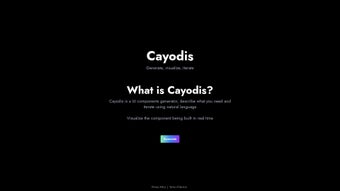

Download Cayodis – AI‑Powered UI Design Tool, Free & Secure
Introduction
In today’s fast‑paced digital product landscape, the ability to turn an idea into a tangible user interface in minutes rather than days can be a decisive competitive advantage. Cayodis is a cloud‑native, AI‑driven design platform that lets you describe UI components in plain English and instantly receive a high‑fidelity visual as well as clean, framework‑ready code. Whether you are a seasoned UI/UX designer looking to accelerate iteration, a product manager who needs to prototype concepts without learning a design tool, or a developer who wants to offload repetitive component creation, Cayodis provides a unified environment that bridges the gap between imagination and implementation. The tool runs entirely in the browser, eliminating the need for bulky installations and ensuring you always work with the most recent feature set thanks to automatic updates. This introduction sets the stage for a deeper dive into the product’s core capabilities, practical setup steps, system requirements, and an honest appraisal of its strengths and limitations.
Overview and Core Features
Cayodis positions itself as the “conversational UI builder” for modern web teams. Its natural‑language engine parses descriptive prompts such as “create a rounded primary button with a subtle drop‑shadow” and generates a pixel‑perfect component in real time. The live preview updates with each keystroke, allowing designers to experiment with typography, spacing, color palettes, and interaction states without leaving the browser.
Because the generated markup adheres to the conventions of popular frameworks—React, Vue, Angular, and plain HTML/CSS—developers can copy the output directly into codebases, dramatically shortening hand‑off time. The platform also incorporates version history, responsive breakpoint handling, and secure cloud storage, making it suitable for both solo freelancers and enterprise‑scale design systems. Below is an expanded list of the most impactful features that define Cayodis:
- Natural‑Language Design Input: Type a concise description and watch the AI generate a fully styled component instantly.
- Real‑Time Visualization: Every change is reflected on a live canvas, removing the need for separate preview modes.
- Multi‑Framework Export: Export ready‑to‑use snippets for React (JSX), Vue (SFC), Angular (TypeScript), or plain HTML/CSS.
- Iterative Feedback Loop: Refine designs with follow‑up prompts, allowing rapid exploration of variations.
- Collaboration & Sharing: Generate shareable links with view‑only or edit permissions, and comment directly on the canvas.
- Version History & Undo: Automatic snapshots let you revert to any previous iteration.
- Responsive Controls via Language: Define breakpoints such as “stack this card on mobile” and see immediate layout adjustments.
- Secure Cloud Storage: AES‑256 encryption at rest and TLS 1.3 in transit keep your projects safe and compliant with GDPR and CCPA.
- Continuous Feature Updates: New UI patterns, accessibility checks, and framework presets are rolled out automatically.
- Flexible Pricing: A generous free tier supports unlimited component creation; paid plans unlock team workspaces, bulk export, and priority support.
The combination of conversational input, instant visual feedback, and production‑ready code makes Cayodis a unique proposition in the crowded UI prototyping market. Users report that the learning curve is minimal, and the tool’s ability to produce clean, lint‑friendly code saves hours of manual tweaking. While the AI is powerful, it is still bound by the clarity of the prompts you provide, which encourages teams to develop a shared vocabulary for design requests.
Installation, Usage & System Compatibility
One of Cayodis’s strongest selling points is its zero‑install architecture. Because the platform is fully web‑based, you simply navigate to the official site, create an account, and start designing instantly. This eliminates the traditional setup friction associated with desktop‑only design tools and ensures that you always have access to the latest AI models and feature enhancements without manual updates.
- Account Creation: Visit cayodis.com and sign up using an email address or single‑sign‑on via Google or GitHub. Email verification is instantaneous, and you are directed to a clean, customizable dashboard.
- Project Initialization: Click “New Project,” assign a meaningful name (e.g., “Dashboard Redesign”), and optionally select a framework preset. The preset automatically configures export settings for React, Vue, Angular, or plain HTML.
- Natural‑Language Prompting: In the left‑hand input pane, describe the UI element you need. For example, “Add a sticky navigation bar with a dark background, white logo on the left, and three centered links.” The AI parses the request and renders the component on the right‑hand canvas within seconds.
- Refinement Cycle: Use follow‑up instructions such as “increase the logo size by 20%” or “add a subtle hover animation to the links.” Each adjustment updates the preview in real time, allowing you to iterate without leaving the browser.
- Export Process: When satisfied, press “Export,” select your desired code format, and either download a zip archive or copy the snippet directly to your clipboard. The generated code includes comments, naming conventions, and optional TypeScript typings for Angular projects.
- Collaboration Features: Click the “Share” icon to generate a secure URL. You can assign view‑only or edit permissions, and collaborators can leave comments directly on the canvas, streamlining feedback loops across product, design, and engineering teams.
- Version Control Integration (Paid Plans): Connect your GitHub or GitLab repository, and Cayodis can push exported components to a specified branch automatically, ensuring a seamless hand‑off to developers.
Cayodis runs on any operating system that supports a modern web browser, including Windows 10/11, macOS Ventura, Linux distributions, and ChromeOS. Supported browsers are the latest versions of Chrome, Edge, Firefox, and Safari (version 12+). The platform is responsive, allowing tablet and smartphone access for quick reviews, though full‑screen editing is best experienced on a desktop or laptop with a stable internet connection.
Because the AI processing occurs on Cayodis’s cloud servers, a reliable internet connection is required for all interactions. The platform gracefully handles intermittent connectivity by queuing requests and syncing once the connection is restored, but offline design is not currently available. Billing for premium plans is managed securely via Stripe, and users can upgrade, downgrade, or cancel at any time from the account settings page.
Pros, Cons and Frequently Asked Questions
Pros
- Zero‑install, browser‑only access eliminates setup time.
- Natural‑language interface makes design accessible to non‑designers.
- Instant, real‑time preview accelerates iteration cycles.
- Export‑ready code aligns with React, Vue, Angular, and plain HTML/CSS.
- Robust collaboration tools (shareable links, comments, team workspaces).
- Secure, GDPR/CCPA‑compliant cloud storage protects intellectual property.
- Generous free tier with unlimited component creation.
- Automatic updates ensure you always have the latest AI capabilities.
- Version history and undo provide safety nets for experimental designs.
- Responsive breakpoint handling via natural language simplifies mobile design.
Cons
- Requires a constant internet connection; offline mode is not yet supported.
- AI may misinterpret ambiguous or overly complex prompts, requiring clarification.
- Advanced export formats and Git integration are locked behind paid plans.
- Performance can degrade on low‑end devices when handling very complex layouts.
- Focused on component generation; full‑page design still needs manual assembly.
Frequently Asked Questions
Is Cayodis really free to use?
Yes. The free tier offers unlimited component creation, basic export options, and access to the core AI design engine. Paid plans add team collaboration, premium export formats, and priority support, but the essential prototyping features remain free for all users.
Which browsers are officially supported?
Cayodis works with the latest releases of Chrome, Edge, Firefox, and Safari. For optimal performance, use a browser that supports ES6 JavaScript and WebAssembly, which includes all major browsers released after 2020.
Can I export code for frameworks other than React?
Absolutely. Cayodis provides export options for React (JSX), Vue (Single‑File Component), Angular (TypeScript component), and plain HTML/CSS. The generated snippets are clean, well‑commented, and ready to be dropped into existing projects.
How secure is my data on Cayodis?
All project data is encrypted both at rest (AES‑256) and in transit (TLS 1.3). Cayodis complies with GDPR and CCPA, and you can permanently delete any project from your dashboard at any time.
Is there an offline mode for Cayodis?
Currently, Cayodis requires an active internet connection because the AI engine runs on cloud servers. The development team has hinted at a potential desktop client for offline use in future releases, but it is not available today.
Conclusion – Should You Download Cayodis?
If rapid UI prototyping, collaborative design, and seamless code export are priorities for your team, Cayodis delivers a compelling, browser‑based solution that removes many of the traditional bottlenecks. Its natural‑language interface democratizes design, allowing product managers, marketers, and developers to participate in the creative process without mastering complex design software. While the reliance on an internet connection and occasional AI misinterpretations are valid considerations, the overall productivity gains, free tier accessibility, and robust security posture outweigh these drawbacks for most modern product teams.
For organizations seeking to shorten design‑to‑development cycles and foster a more inclusive design culture, Cayodis is a smart addition to the toolkit. Ready to experience conversational UI design? Download Cayodis today and transform the way you build user interfaces.



.png)



